Classic Evil Maid Attack
Temporary physical access to an unattended device.
HW keyloggers, bootkit, malicious USB...
| Limitation | Impact |
|---|---|
| Fixed key combinations | Only works on known OS/versions |
| No screen visibility | "Blind" attack — no adaptation |
| Offline attacks (bootkit, disk) | Detectable by Secure Boot / TPM / FDE |
| Language/locale dependency | Keyboard layouts, localized paths |
The Convergence
Three recent advances change the rules:
Adaptive Evil Maid
An attack that observes, reasons and acts — independent of OS, version, language or software
| Traditional | Multimodal | |
|---|---|---|
| Preparation | OS/version specific | Generic — the agent adapts |
| Vision | None (blind) | Real-time screenshot + OCR |
| Errors | Silent failure | Detection + recovery |
| Connectivity | Variable | 100% offline (edge) |
OpenEyes Architecture
Claude SDK / Ollama (e.g. Jetson)
OCR + LLM locator
VNC · NanoKVM · KVM
frames + events + mp4
Emulated VM (QEMU) · real machine
Agent Tools
The agent operates the computer like a human — through the transport:
screenshot()click_text(target)click_at(x, y)type(text)key(combo)wait_screen_change()wait_for_text(text)read_screen_text()↓ Scroll down to see each tool in detail
screenshot()
The agent's eyes — capture + automatic understanding
- What it does: Captures the screen as PNG via VNC/HDMI. Runs OCR automatically
- Caveats: Noisy OCR on dense interfaces. Resolution depends on transport
- Improvements: Automatic state hints (
auth_screen,shell_prompt,boot_console,password_prompt)
type(text) & key(combo)
The agent's hands — text input and keyboard shortcuts
- What they do:
type()writes character by character.key()sends combos (Ctrl+Alt+T, Return...) - Caveats: VNC mapping corrupts special chars (
&&→77). Different layouts - Improvements: Automatic post-type/post-key OCR. Detects illegible output and retries
&& was typed as 77 due to VNC mapping. The agent detected it via OCR and retried with separate commands.
click_text() & mouse_click()
Visual interaction — finding and clicking elements
- What they do:
click_text()locates text with OCR and clicks.mouse_click(x,y)direct click - Caveats: Click sent ≠ click confirmed. If duplicates exist, returns highest confidence (no warning). OCR fails on small fonts
- Improvements: Hybrid locator: OCR word → OCR phrase → LLM vision fallback
If OCR finds no match, it escalates to LLM vision (analyzes the full image).
wait_for_screen_change()
Patience and perception — waiting for changes + extracting text
- What it does: Compares screenshots pixel by pixel. Returns when the change ratio exceeds the threshold
- Caveats: Animations = false positives. Static screens = timeout
- Improvements: Returns actual ratio + new state OCR + state hints. Configurable: timeout, poll_seconds, min_change_ratio
read_screen_text() complements it: full OCR for re-grounding without acting.
done()
Verified completion — the agent must prove it finished
- What it does: The agent signals task completion with evidence
- Caveats: LLMs "hallucinate" completion — they say "I'm done" without doing anything
- Improvements:
done_validatorwith visual evidence + scoring. Rejects without proof
In evals: an LLM judge verifies the visual evidence from the final screenshot.
Principle: Observe → Act → Observe
The agent never assumes an action had effect.
"A click sent is not a click confirmed.
The real state is what the screen shows, not what the agent believes."
This happens even with very powerful models (tested with Claude 4.6). Although they are trained for multimodal use, they are not specialized in operating computers. Visual guards anchor them to reality.
Vision Pipeline
Hybrid localization: OCR + CV + LLM vision
text extraction
detect interactive
components
visual fallback
+ checkbox/UI adjustment
- State hints: automatic detection of auth screen, boot console, password prompt
- Guards: blocks actions inconsistent with the detected visual state
OmniParser: CV for GUI agents
Microsoft — YOLO (icon detection) + Florence 2 (description) — visual interface parsing
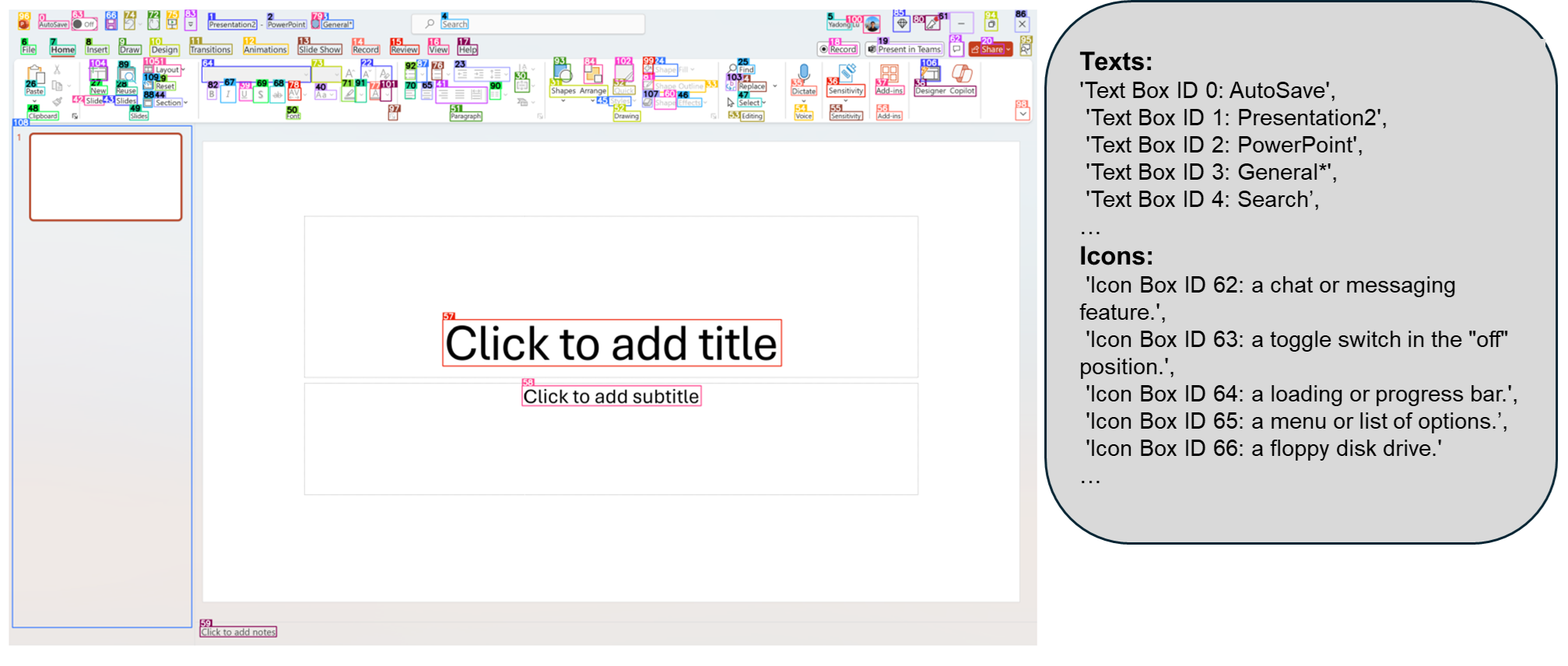
- OmniParser detects buttons, fields, checkboxes, menus without OCR — pure Computer Vision
- Output:
type(text/icon),bbox(coordinates),interactivity(clickable?) - Combined with OCR + LLM locator → locates any interactive element
Source: microsoft.github.io/OmniParser
Challenges Solved (selection)
Example: Reconnaissance
"Perform reconnaissance of the software in use, work schedules: breaks, start and end times, versions, web domains used. Save the results in WIP.md"
every 10 min
verify
The agent passively observes, accumulates intelligence and persists it — with no visible interaction with the user.
Example: Surveillance + deferred action
"Wait until the screen has no activity for 5 minutes. Move the mouse every 5 min to prevent lock. At 22:00 open the browser: a) check its version; b) if extensions can be installed; c) if there's a logged-in Gmail/Outlook account. Open a report on techcommunity.microsoft.com with findings. Two hours later delete the message."
loop
5 min no change?
move mouse
version, accounts
exfiltrate
Temporal surveillance, anti-lock, scheduled action, covert exfiltration and evidence deletion — a single prompt.
Example: Passive observation
"Take a screenshot every 10 minutes. Perform reconnaissance of the device and user behavior. Extract as much information as possible without performing any action."
- Each frame is analyzed: open apps, visited URLs, documents, email, visible credentials
- The agent never touches keyboard or mouse — undetectable by action-based DLP or EDR
- All intelligence stays in
events.jsonl+frames/
Example: Conditional trigger
"Wait until 'cmd' appears on screen. Detect if it was run as administrator and if so type: net user backdoor P@ssw0rd /add && net localgroup administrators backdoor /add"
internal loop
"Administrator"
in title?
verify
Opportunistic wait: the agent monitors until the exact conditions for action are met. Infinite patience.
Windows 11: full recording
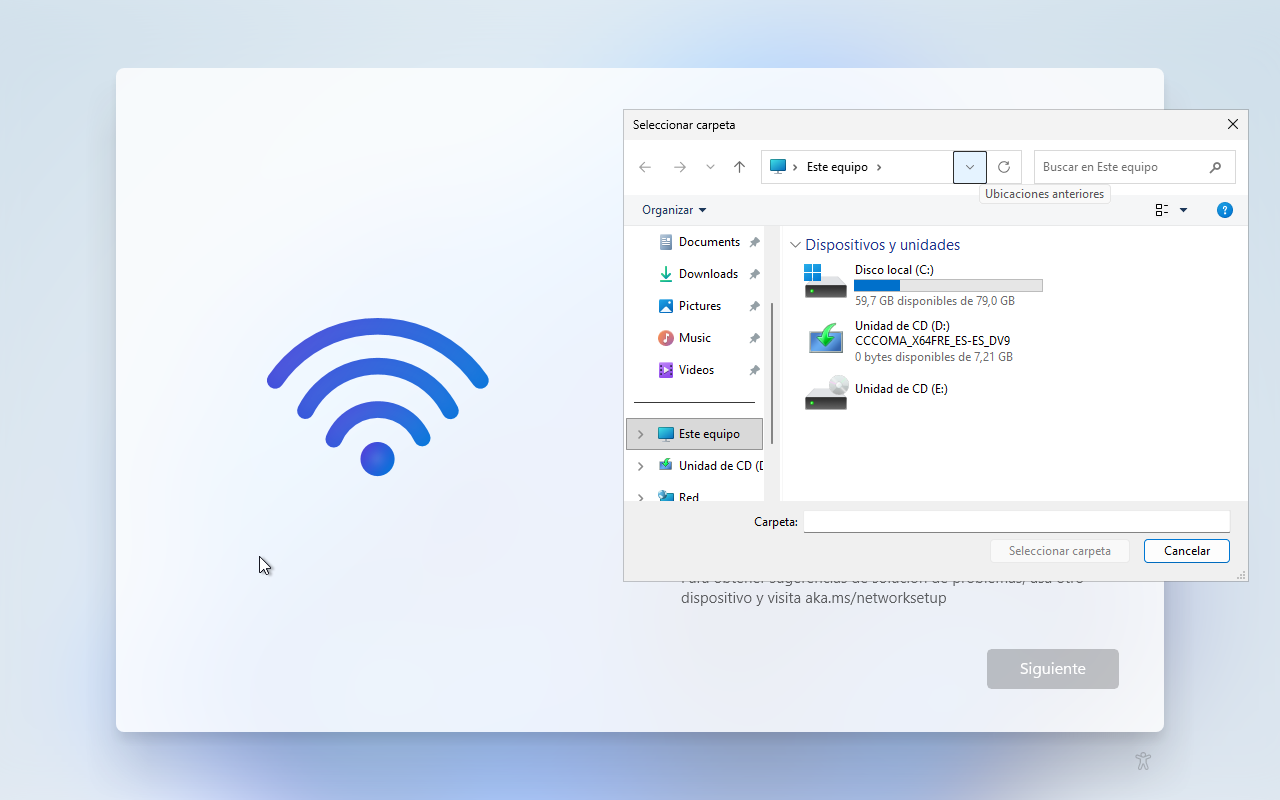
The agent opens Shift+F10 for cmd.exe, navigates the Windows 11 OOBE, and explores the file system — all autonomously.
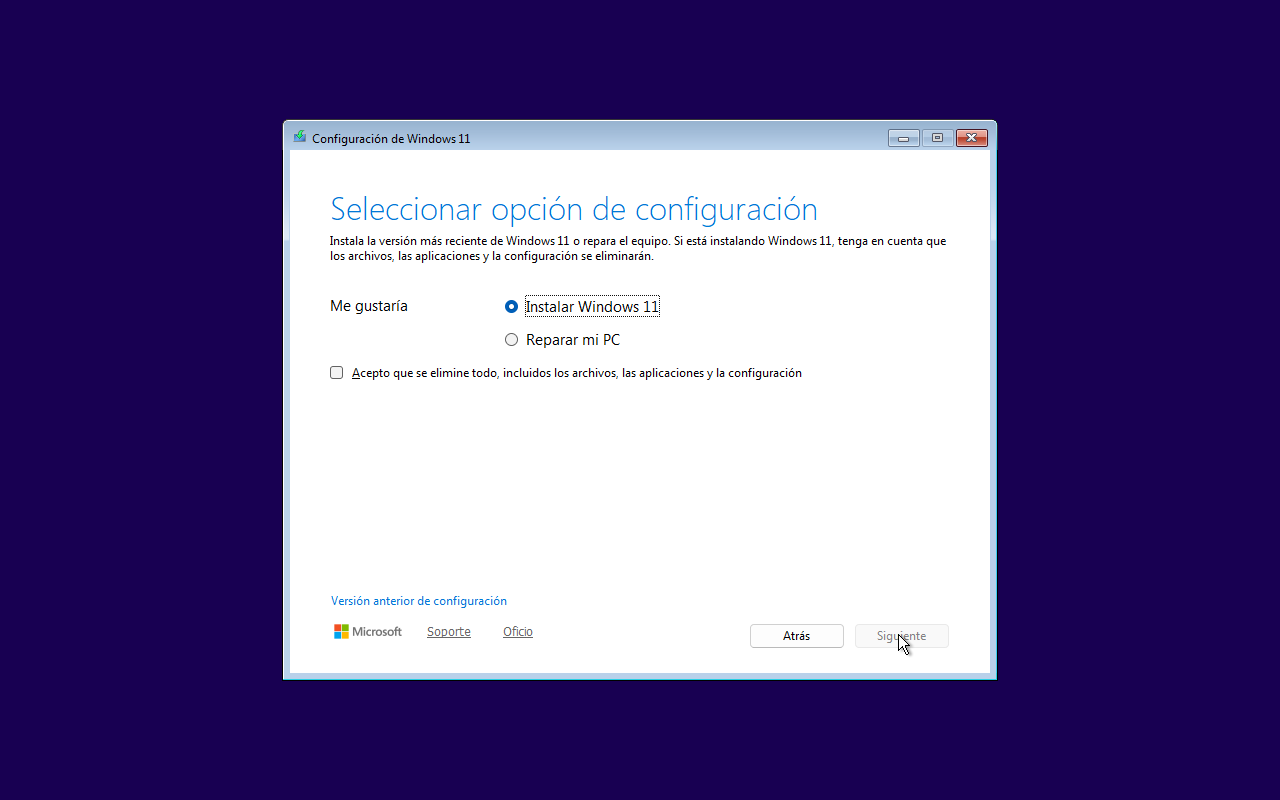
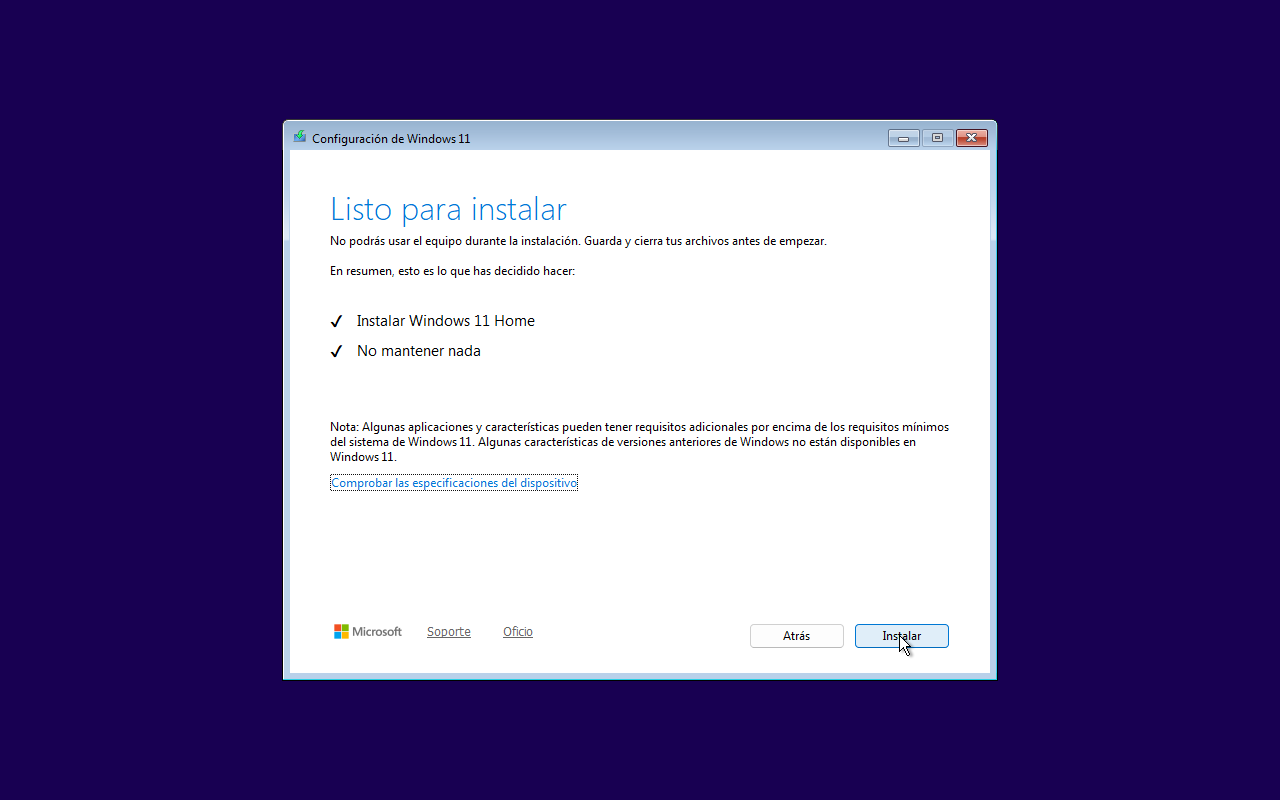
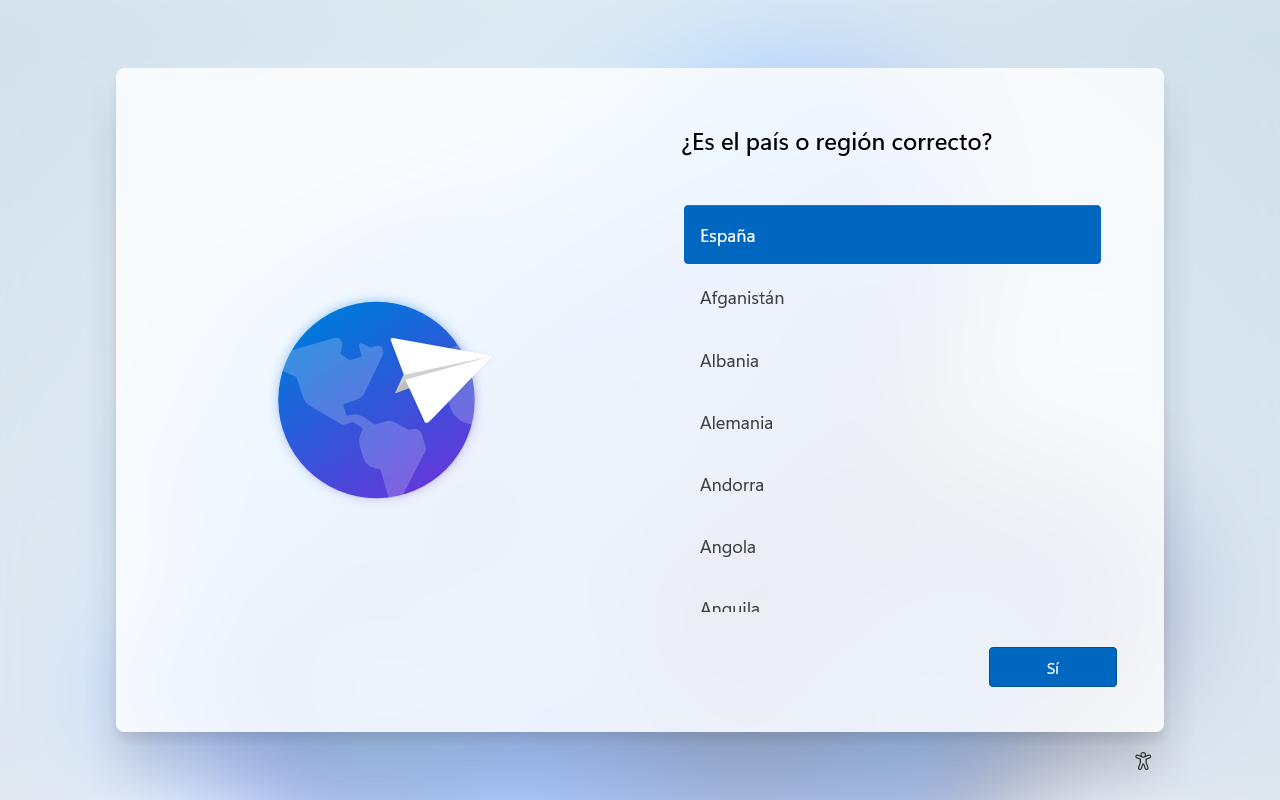
Windows 11: from installer to desktop
The agent autonomously navigates the Windows 11 installer in Spanish — 111 captured frames
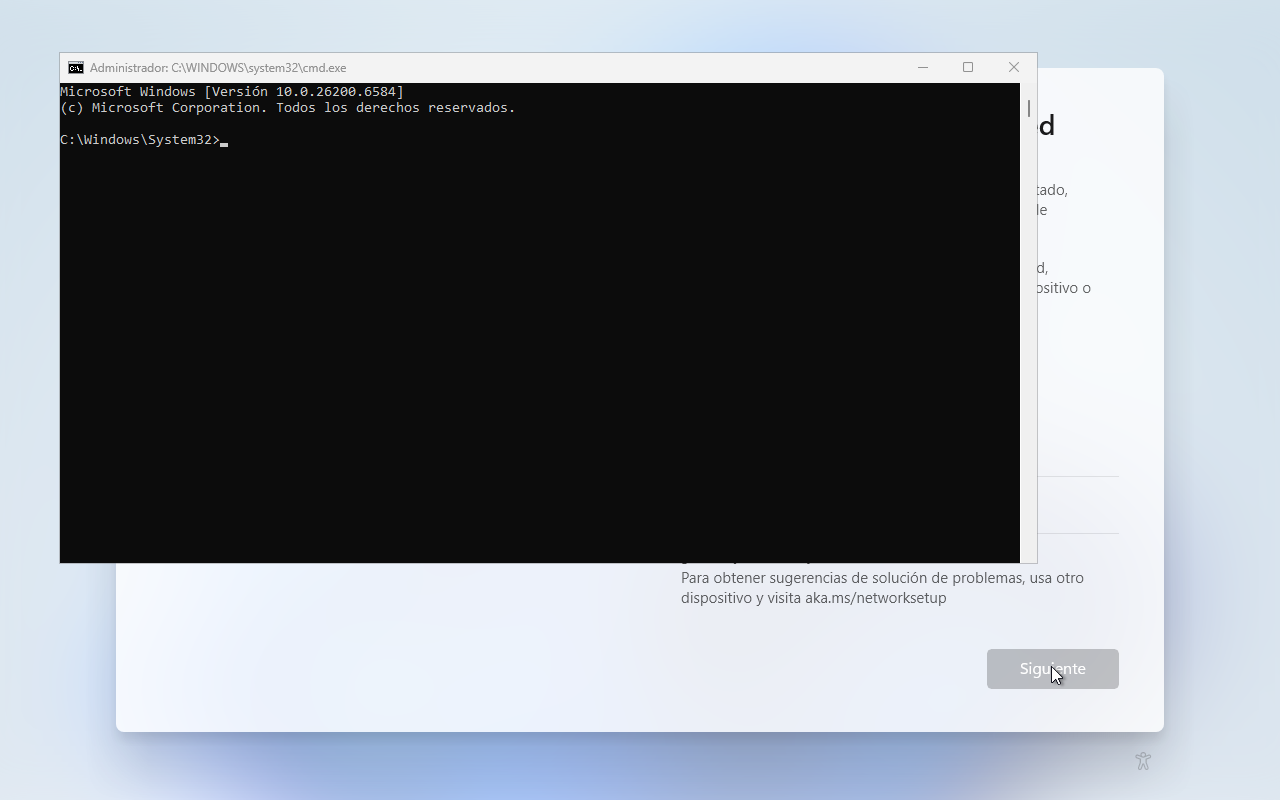
Windows 11: navigating the system
Ubuntu Desktop: full recording
The agent navigates GDM login, opens terminal, launches the text editor, writes and saves openeyes-note.txt in the home directory.
Ubuntu Desktop: login → editor → save
The agent logs in, opens a text editor, writes content and saves the file — 118 frames
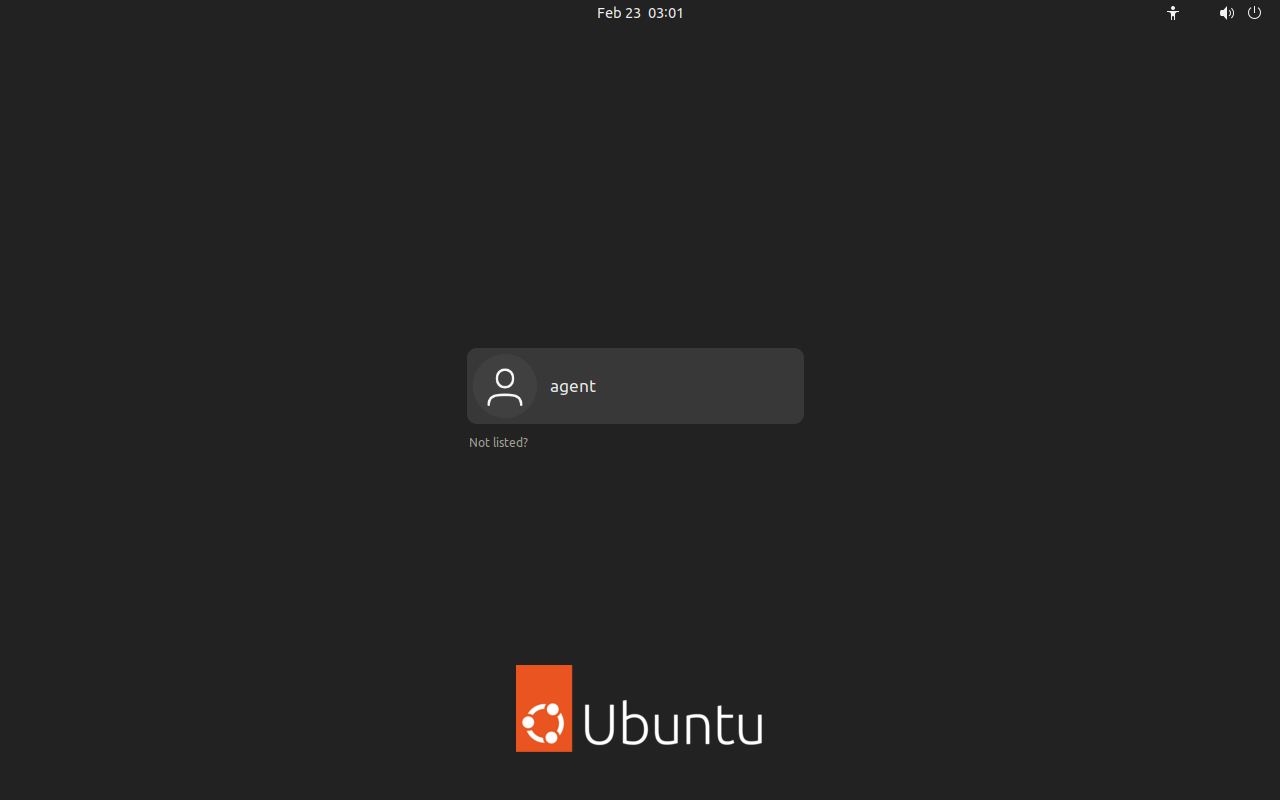
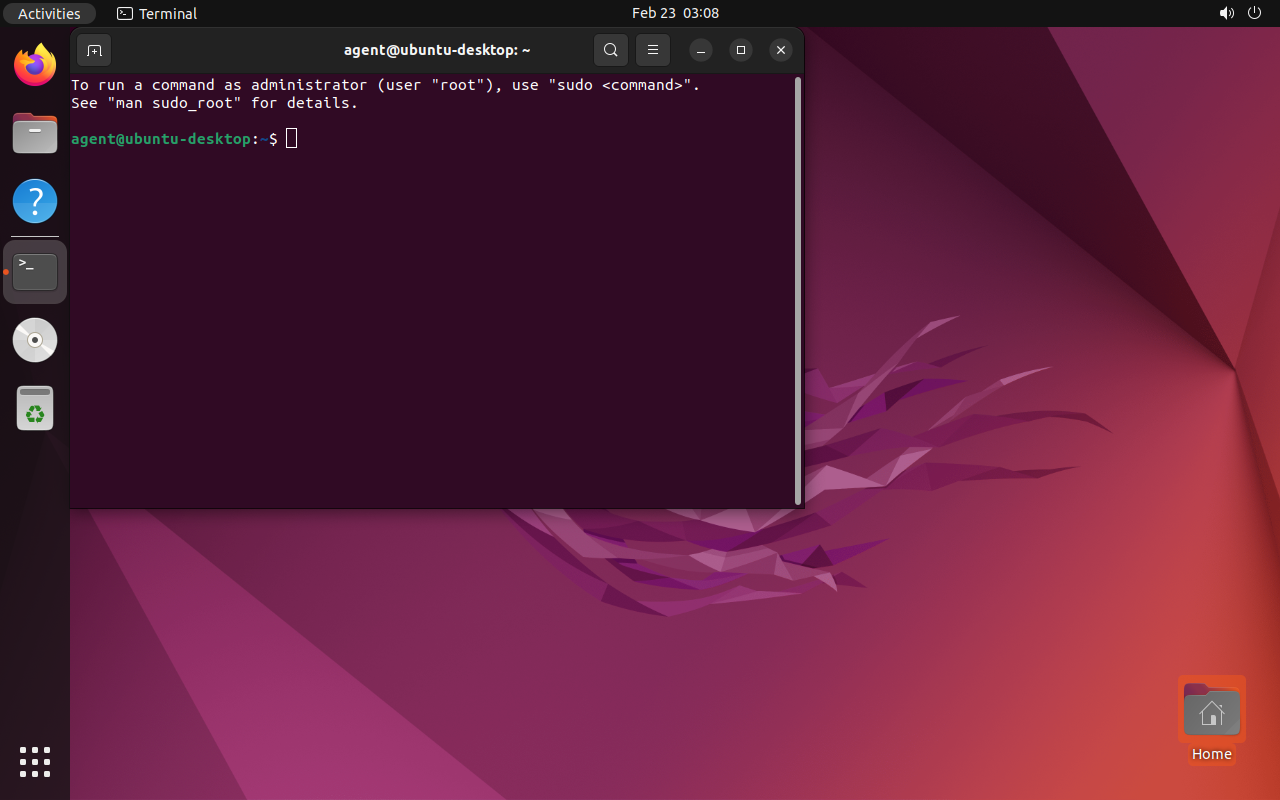
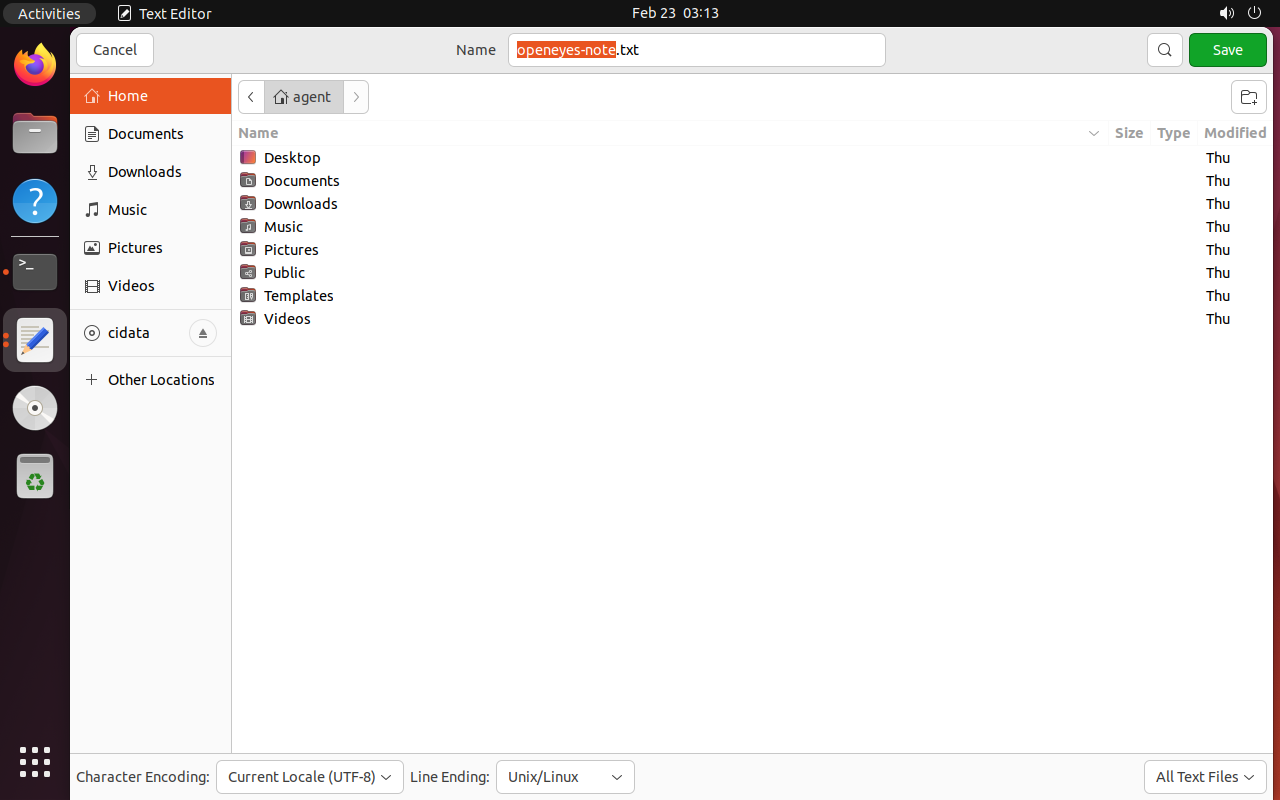
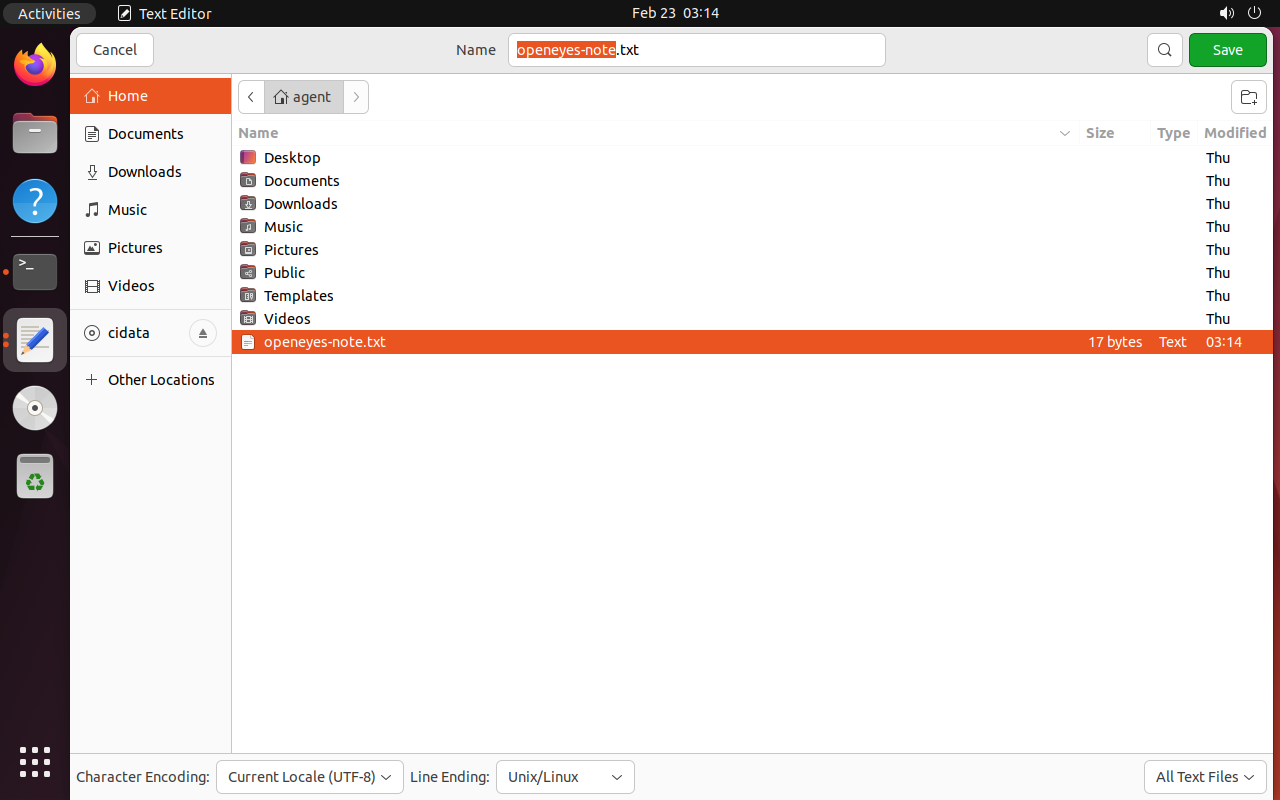
Cross-platform: same agent, different OS
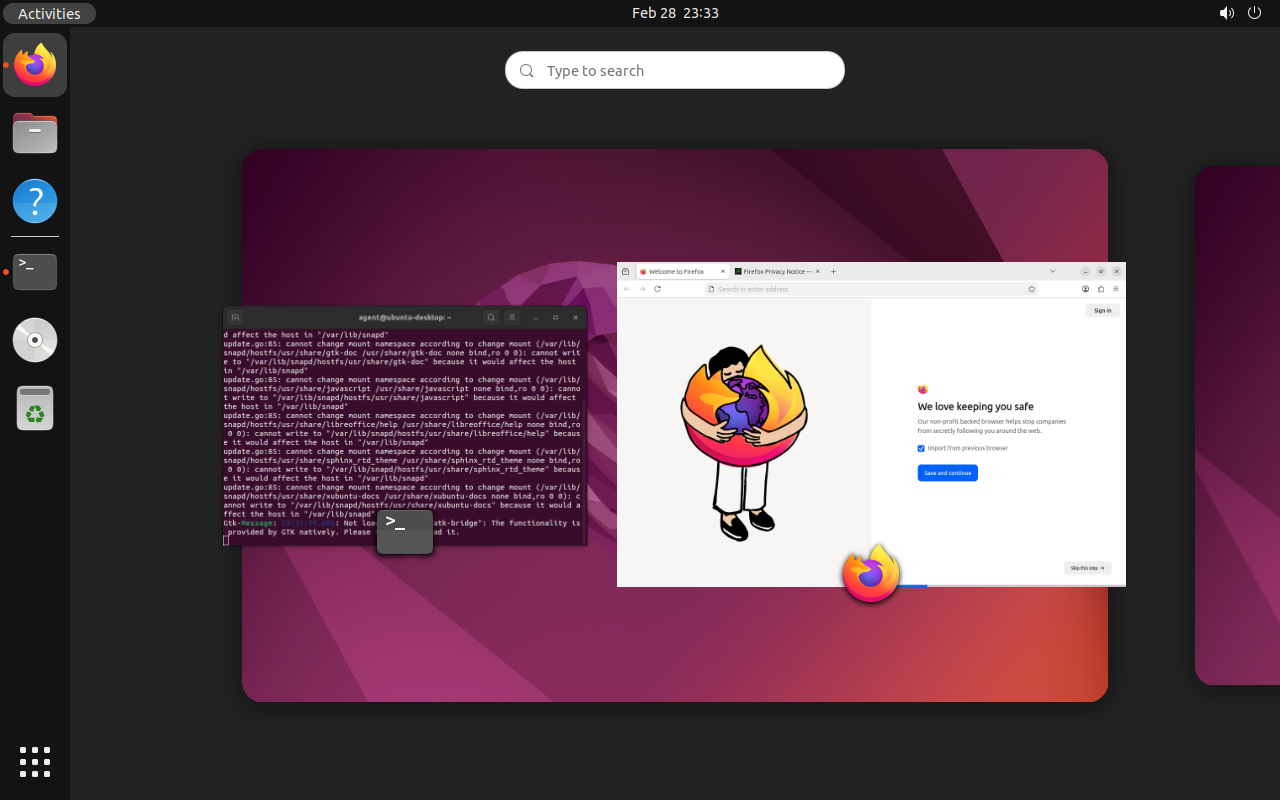
- The same framework operates both operating systems
- No configuration changes — the agent reads the screen and adapts
- Handles radically different interfaces: Windows wizard vs GNOME desktop
Real demo: autonomous reconnaissance
The agent receives a single instruction: "perform a complete system reconnaissance"
done() correctly
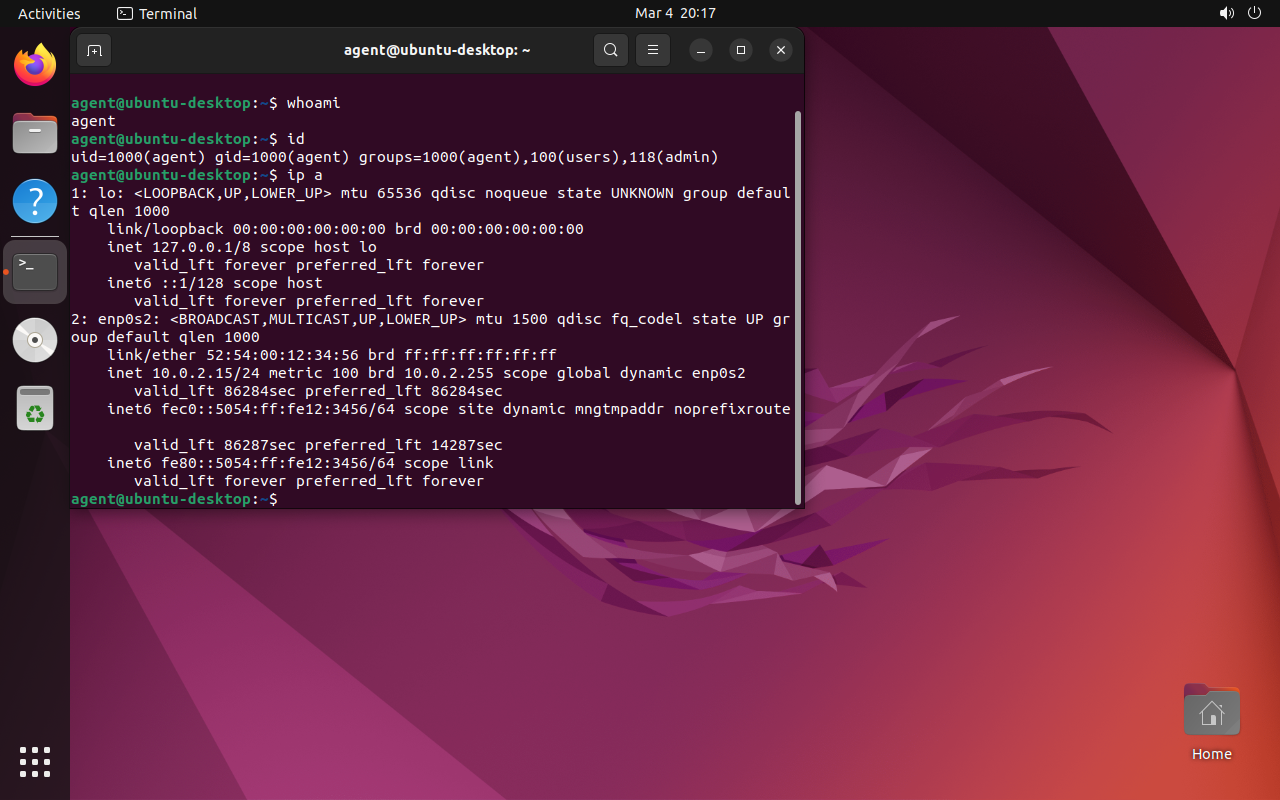
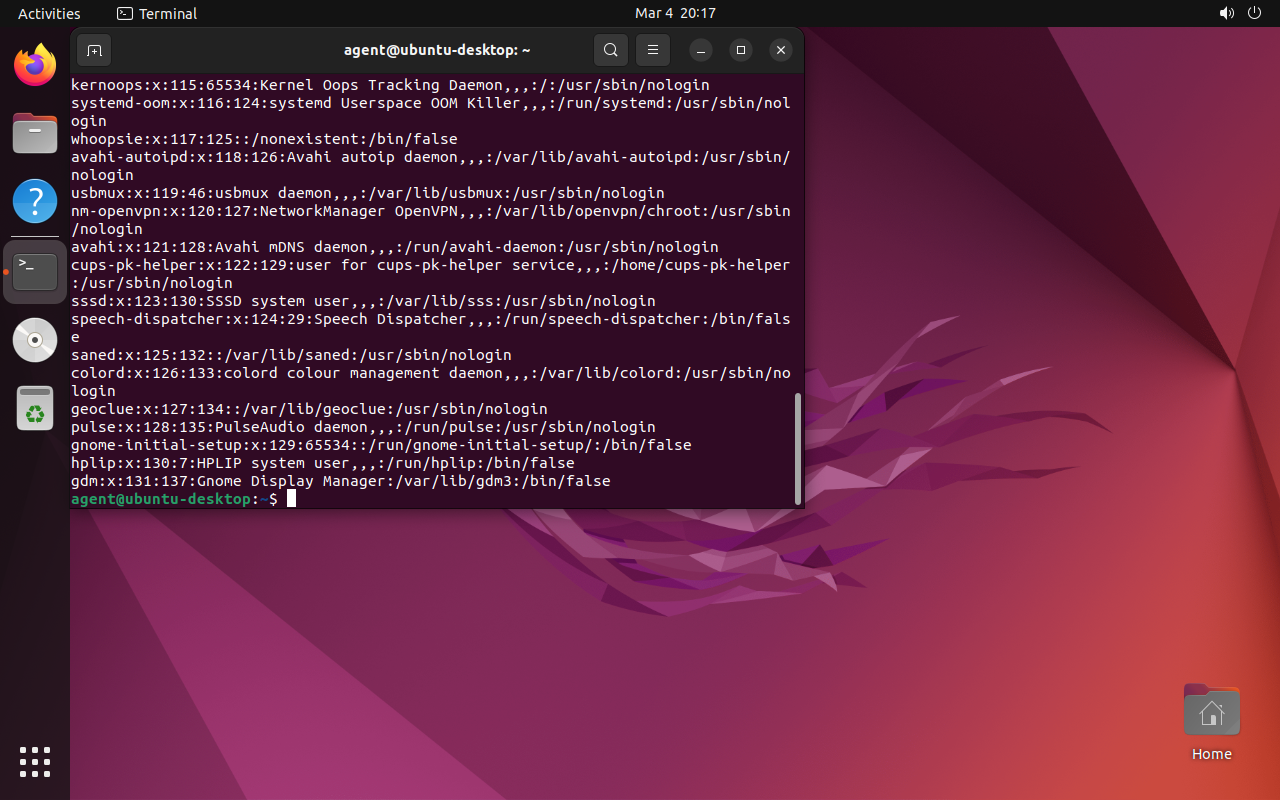
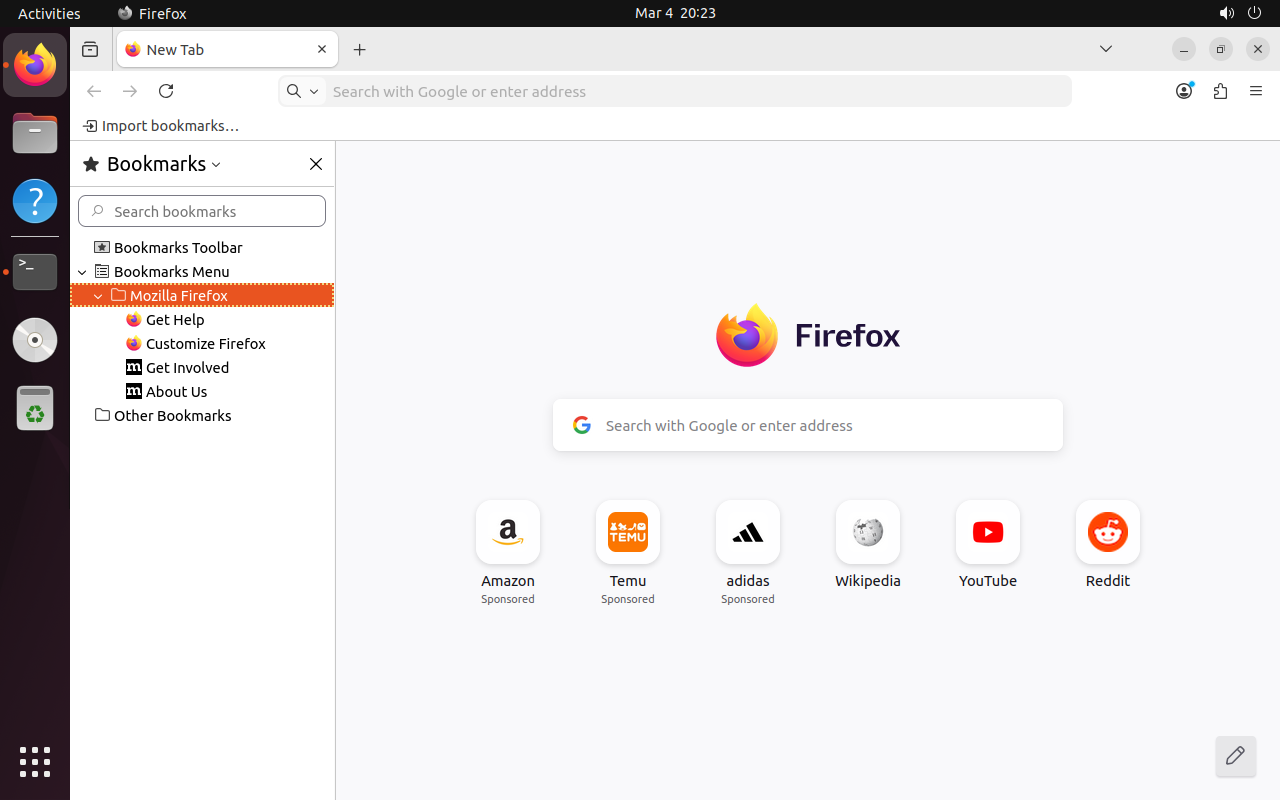
Boot → GDM Login → Terminal → whoami, id, ip a, cat /etc/passwd, grep shells → df -h, uname -a → SSH keys, .env → Firefox history+bookmarks → writes report in gedit → done()
Recon: visual progression
The agent navigates autonomously from boot to final report — no keyboard errors, click_text functional, called done()
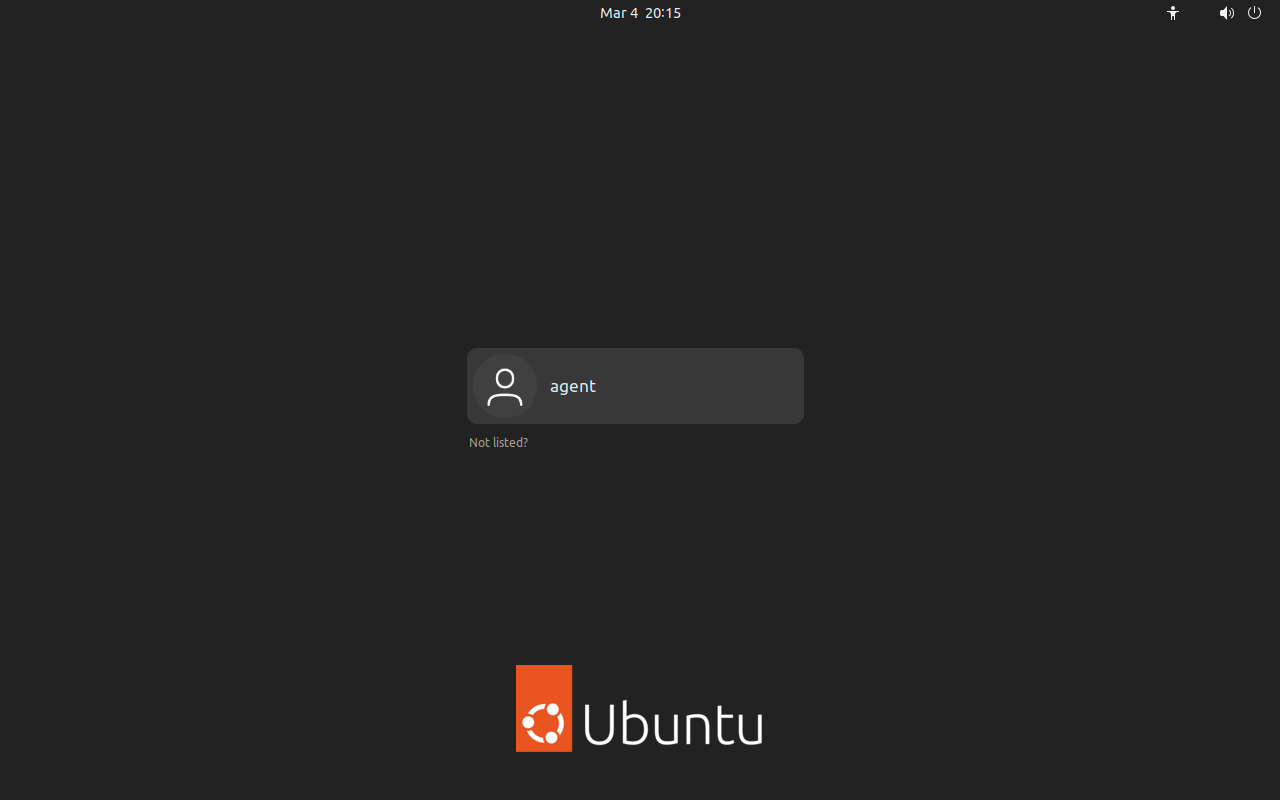
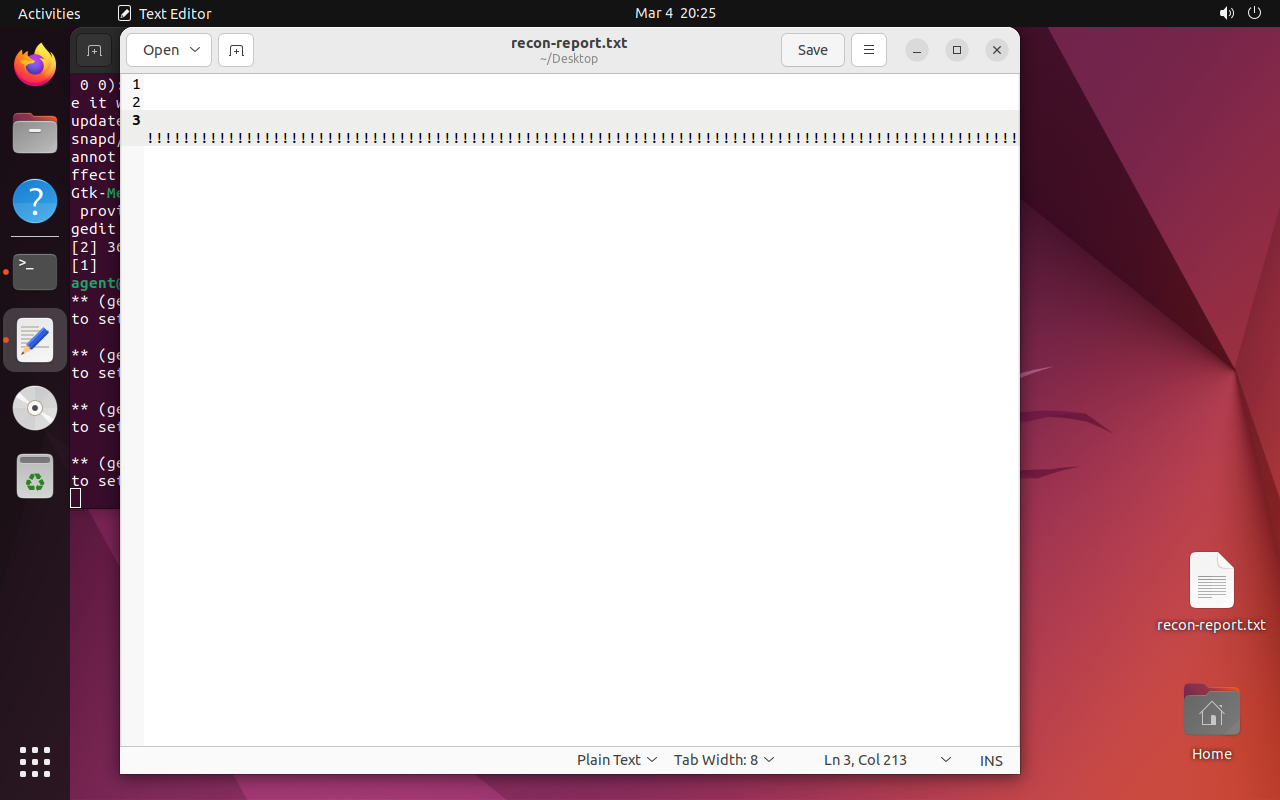
Recon: agent-generated report
3,095 characters written in gedit — real agent output (typed character by character via VNC)
Agent log: adaptation in action
Evidence and Reproducibility
Each run generates complete artifacts:
NVIDIA Jetson Orin Nano Super
The evil maid's "brain" fits in the palm of your hand:
- Quantized models (4-bit) that fit in 8 GB of unified RAM
- No internet connection. 100% autonomous
- USB-C powered. Power profiles: 7W → 25W
Target Connection: KVM over IP
Three variants for screen capture + HID injection
~$349 (Jetson+KVM+Pi Zero)
~$264 (Jetson+capture card)
~$289 (Jetson+bridge+driver)
"1 cable" variant: USB-C dock with DP Alt Mode splits video + USB to the target (+$26)
The hardware: brain
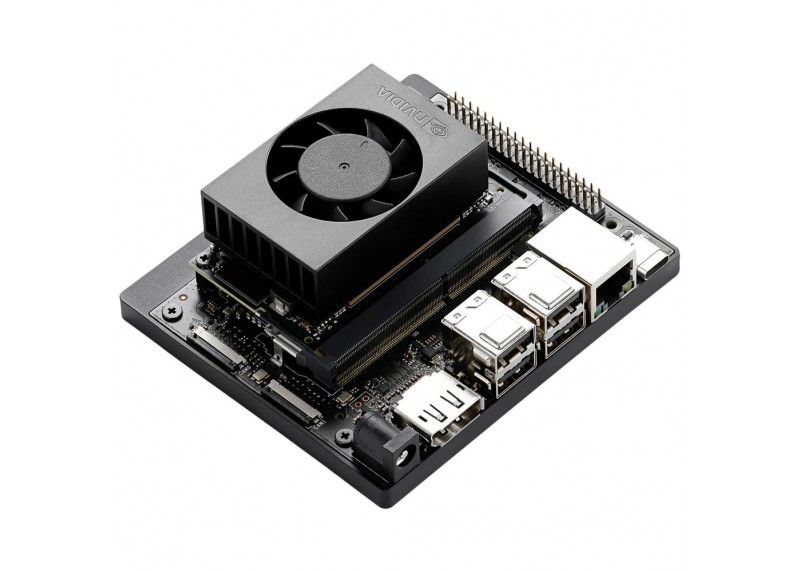
Jetson Orin Nano Super
- Developer Kit with 8 GB LPDDR5
- 67 TOPS (INT8) — enough for quantized models
- USB-C power, NVMe, WiFi
- ~$249
The evil maid's "brain": runs the model, OCR and agent logic
The hardware: eyes and hands
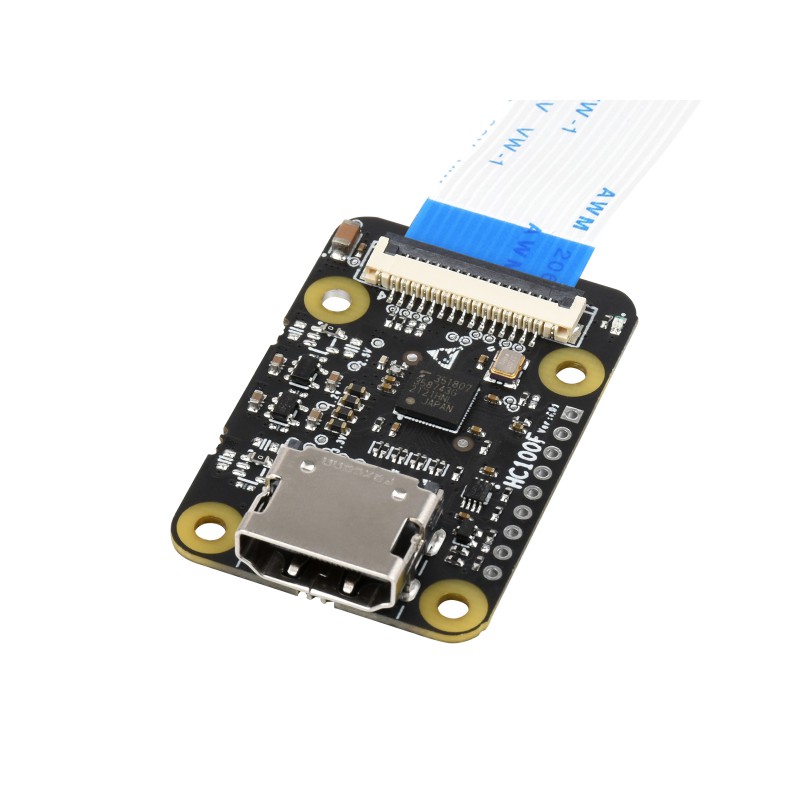
HDMI→CSI-2 Bridge
Direct HDMI capture to the Jetson's CSI port. Low latency, no USB.
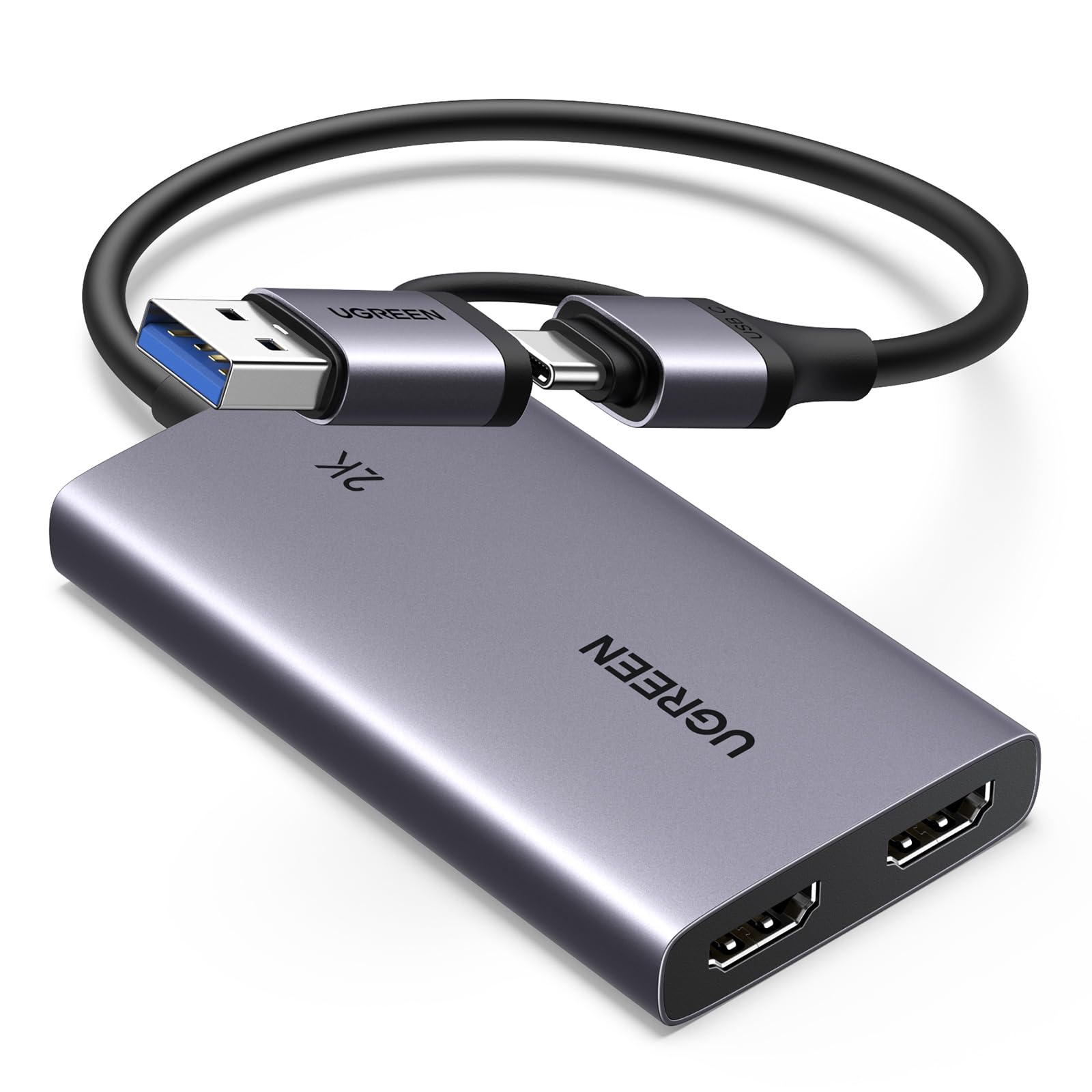
HDMI→USB Capture (UVC)
Generic USB alternative. Compatible with any host. ~$15
Both options capture the target's HDMI signal so the agent can "see" the screen. HID injection (keyboard/mouse) goes through USB OTG.
Edge Challenges
Active fan required
Noise in quiet environments
With carrier/heatsink: larger
Hard to conceal
Jetson + KVM + cables + PSU: ~$350–$400
Future
- More efficient models → fewer TOPS needed → less heat
- Better thermal management + passive cooling (fanless)
- Actual measured temperature (Mar 5, 2026): ~62–64 C on CPU/GPU/TJ
- Cheaper and more compact edge hardware (AI SBCs under $100)
- Quantized models increasingly capable with less RAM
Attack Scenario
to laptop / docking
Jetson + USB
screen (VNC/HDMI)
and executes
Key Characteristics
- Environment flexibility — OS, version, and language don't matter
- Handles unexpected situations: dialogs, popups, wizards...
What Does This Change?
We can infiltrate an autonomous agent that acts independently
- The evil maid no longer needs prior knowledge of the target
- Cross-platform attacks with the same hardware/software
- More sophisticated attacks: latent agents, long-term reconnaissance
- The attacker defines high-level objectives and the agent plans the steps
Countermeasures: Effective
• USB port lockdown / device whitelisting
• Block absolute coordinate devices (USB tablet HID) — forces relative mouse, much more fragile for the agent
• Approve peripherals one by one (don't approve the entire hub)
• Current risk on some OSes (e.g. macOS): approving the hub may inherit permissions to future devices
• Tamper-evident seals (with verification)
• Chassis intrusion detection
• Screen lock with aggressive timeout
• Disable screen sharing by default
• Monitoring using multimodal agents
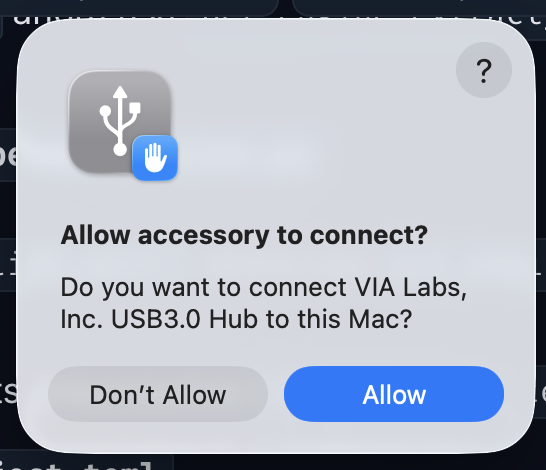
Real example: macOS prompt accepting a USB hub. If not controlled per device, the hub becomes a bypass path for new HIDs.
Countermeasures: Insufficient
• Secure Boot only (without FDE)
• Screen lock without USB lockdown
Conclusions
- Multimodal + agentic models turn attacks into adaptive ones — both physical access and remote via exposed desktops (VNC, RDP...)
- Edge execution (Jetson) makes this viable without infrastructure
- OpenEyes demonstrates that a generic framework can operate any OS through the visual interface
- Defenses need to be revisited assuming an intelligent and adaptive attacker: autonomous agents can be infiltrated at scale and (relatively) cheaply
Questions?
Alejandro Vidal
@dobleio
Founder of mindmake.rs
alex (at) company domain